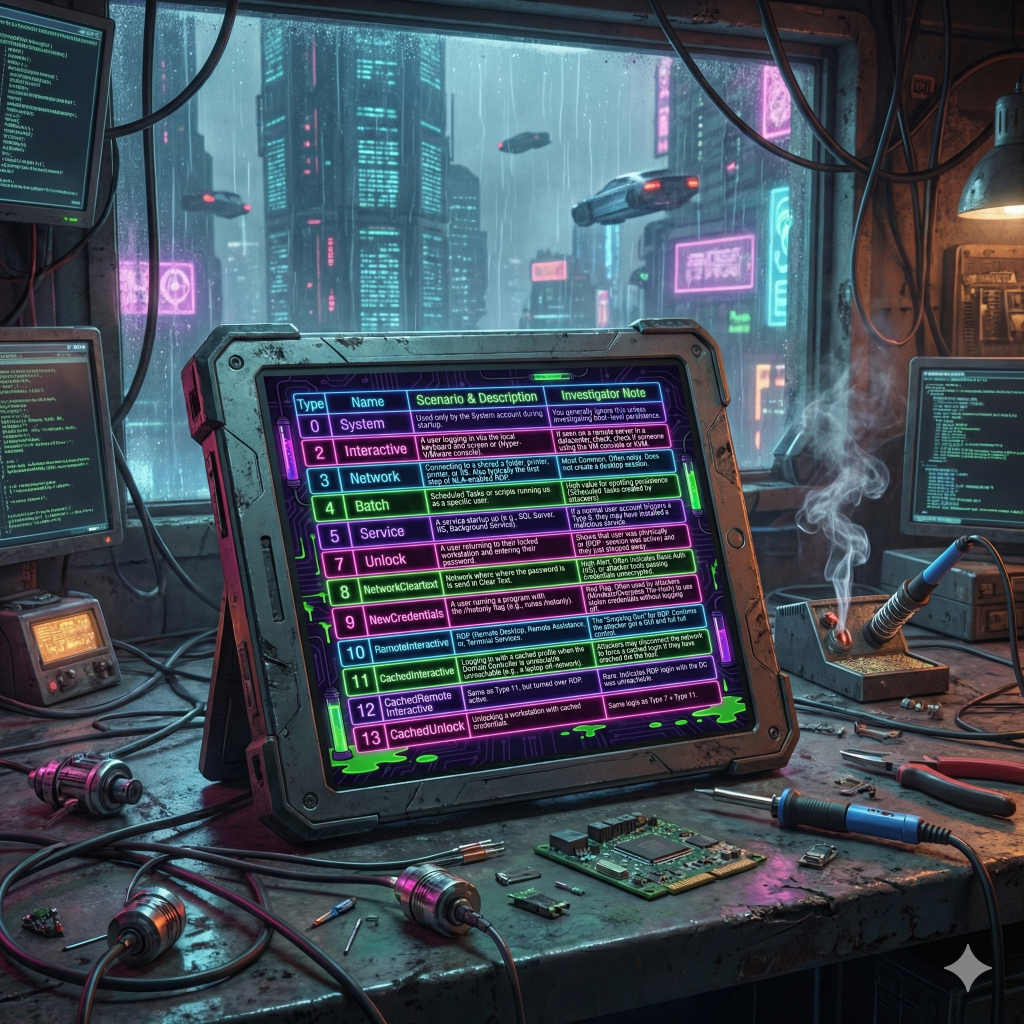
| 0 | System | Used only by the System account during startup. | You generally ignore this unless investigating boot-level persistence. |
| 2 | Interactive | A user logging in via the local keyboard and screen (or Hyper-V/VMware console). | If seen on a remote server in a datacenter, check if someone is using the VM console or KVM. |
| 3 | Network | Connecting to a shared folder, printer, or IIS. Also typically the first step of NLA-enabled RDP. | Most Common. Often noisy. Does not create a desktop session. |
| 4 | Batch | Scheduled Tasks or scripts running as a specific user. | High value for spotting persistence (Scheduled Tasks created by attackers). |
| 5 | Service | A service starting up (e.g., SQL Server, IIS, Background Service). | If a normal user account triggers a Type 5, they may have installed a malicious service. |
| 7 | Unlock | A user returning to their locked workstation and entering their password. | Shows the user was physically present (or RDP session was active) and they just stepped away. |
| 8 | NetworkCleartext | Network login where the password is sent in Clear Text. | High Alert. Often indicates Basic Auth (IIS) or attacker tools passing credentials unencrypted. |
| 9 | NewCredentials | A user running a program with the /netonly flag (e.g., runas /netonly). | Red Flag. Often used by attackers (Mimikatz/Overpass-the-Hash) to use stolen credentials without logging off. |
| 10 | RemoteInteractive | RDP (Remote Desktop), Remote Assistance, or Terminal Services. | The “Smoking Gun” for RDP. Confirms the attacker got a GUI and full control. |
| 11 | CachedInteractive | Logging in with a cached profile when the Domain Controller is unreachable (e.g., a laptop off-network). | Attackers may disconnect the network to force a cached login if they have cracked the hash. |
| 12 | CachedRemoteInteractive | Same as Type 11, but performed over RDP. | Rare. Indicates RDP login while the DC was unreachable. |
| 13 | CachedUnlock | Unlocking a workstation with cached credentials. | Same logic as Type 7 + Type 11. |

 Blue-Lab