
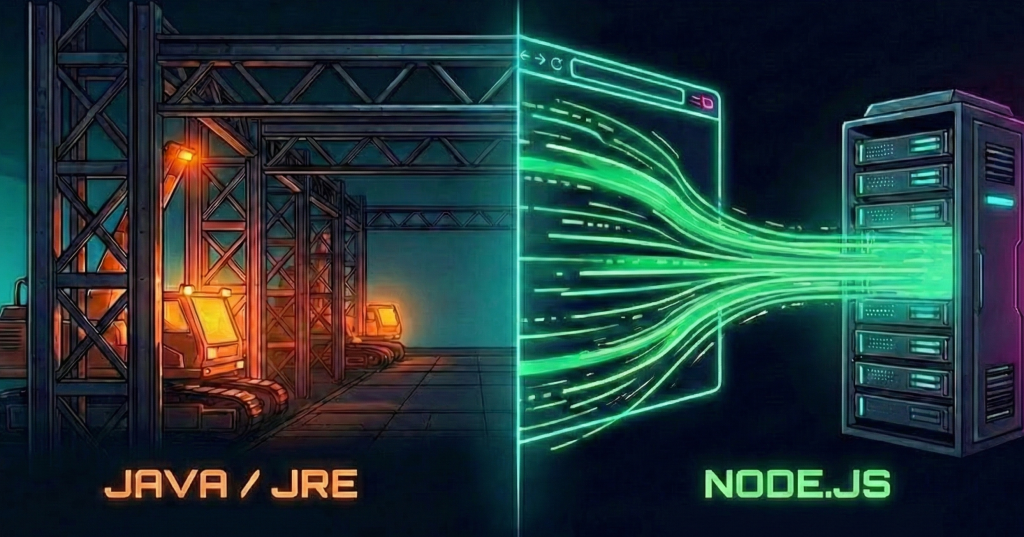
I was in the lab this morning, prepping a new environment to implement ClaudeCode and the Gemini CLI. The documentation was standard, but one requirement stood out: Node.js.
I could have just run the install command and moved on. But that is how technical debt starts. I wanted to verify the foundations before I built on top of them. I stopped the setup and asked: Why does a CLI tool need a runtime? Is this just JRE all over again?
I decided to look strictly at the architecture. It turns out, my hesitation was well-founded. The confusion between these technologies usually comes from the name, but the solution comes from understanding the Runtime Environment (RTE).
Here is the breakdown of why these two are so similar, yet so distinct:
- Back to the 90s (1995 precisely): Netscape invented a language for browsers in 1995. They originally called it “LiveScript.” They renamed it to “JavaScript” purely off the hype of Sun Microsystems’ “Java,” which was the hot new tech of the year. It was a marketing gimmick, not an engineering decision.
- The “Host”: A language cannot do anything on its own. It needs a host. For years, Java’s host was the JRE (Java Runtime Environment), installed on servers and desktops. JavaScript’s host was the Browser. They stayed in their lanes.
- The Node.js Shift (2009): This is where the stories converge. Just like Java needed the JRE to run on a server, JavaScript needed its own “JRE” to leave the browser. That is what Node.js is. It isn’t a new language; it is a new host for the old language.
The Parallels Matrix
I organised this comparison to show how these two distinct technologies solved the exact same problem: “How do I run this code without a specific host program?”
| Feature | The Java Tale | The JavaScript Tale |
| The Language | Java | JavaScript |
| Original Goal | Run on any device | Make web pages interactive |
| The Problem | How do we run this on a desktop? | How do we run this outside a browser? |
| The Solution (RTE) | JRE (Java Runtime Environment) | Node.js |
| The Engine | JVM (Java Virtual Machine) | V8 (Google’s Engine) |
| Release Era | Mid-90s (1995) | Modern Web Era (2009) |
Key Considerations
- The Engine is the Key: Java runs on the Java Virtual Machine (JVM). Node.js runs on the V8 Engine (borrowed from Chrome) — Vroom Vroom! They are both engines, but they burn different fuel.
- What Node.js does: Node.js mimics the capability of a server-side environment, not the browser environment. It gives JavaScript the power to touch files and open ports — things a browser would never allow for security reasons.
The MCP Analogy
You can think of this relationship a little bit like MCP (Model Context Protocol).
- Node.js gave JavaScript “Hands”: It built a bridge to the OS (File System, Network, Process).
- MCP gives the AI “Hands”: It builds a bridge to your local environment (Postgres, GitHub, Terminal).
Mapping the Runtime Boundaries
Since I was already in the terminal for the ClaudeCode setup, I decided to verify exactly what Node was giving me access to versus what Chrome gives me. We need to verify where the “Browser” ends and the “Runtime” begins.
The Runtime Matrix
To visualise the difference, I mapped out the “Inventory” of each runtime. The language stays the same, but the available tools flip completely:
| Feature | The Browser Runtime | The Node.js Runtime |
| The Analogy | Front of House (Dining Room) | The Kitchen (Prep Station) |
| Primary Job | Rendering UI & Handling Clicks | Managing Files, Network & Data |
| Global Object | window (The visual frame) | global (The system process) |
| Missing Piece | No File System (Security Sandbox) | No DOM / HTML (No Screen) |
The Lab Test: Proving the Environment
We can prove that Node.js is a distinct Runtime Environment by running four specific tests. We will try to do “browser things” and “server things” in both places to see what breaks.
Preparation:
- For the Browser:
- Open Chrome/Edge/Firefox.
- Press
F12(orCtrl+Shift+Jon Windows /Cmd+Option+Jon Mac) to open DevTools. - Click the Console tab.
- For Node.js:
- Open your terminal (PowerShell or Terminal).
- Type
nodeand press Enter to start the REPL.
Test 1: Doing something only the Browser can do
Let’s try to make a visual popup. This requires a “Window” manager, which only exists in the browser.
- In the Browser (Chrome):
SUCCESS: The browser has a Window manager window.alert("I am alive!");- Result: A popup appears on your screen.
- In Node.js (Terminal):
FAILURE: Node has no screen to draw on window.alert("I am alive!");- Result:
Uncaught ReferenceError: window is not defined
Test 2: Doing something only Node.js can do
Let’s try to ask the machine for its operating system information. This requires “System Access,” which only exists in Node.
- In Node.js (Terminal):
SUCCESS: Node is wired to the Kernel console.log(process.platform);- Result: Prints
win32,darwin, orlinux.
- In the Browser (Chrome):
FAILURE: The browser is sandboxed from the Kernel console.log(process.platform);- Result:
Uncaught ReferenceError: process is not defined
Test 3: Standard JS (Works Everywhere)
Basic logic works in both because the Language is the same.
- In Both Environments:
SUCCESS: Maths is part of the Language, not the Environment console.log(2 + 2);- Result:
4
Notes
…console.log().
Because console.log works in both environments, it tricks your brain into thinking the environments are the same. They are not.
- In the Browser:
consoleis a specific API built to talk to the DevTools panel. - In Node:
consoleis a re-written module that pipes text tostdout(Standard Output).
Never assume a browser API exists in Node just because the syntax looks familiar.
 Blue-Lab